
Display Replaced In HP LAPTOP 15r062TU
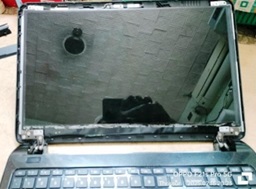
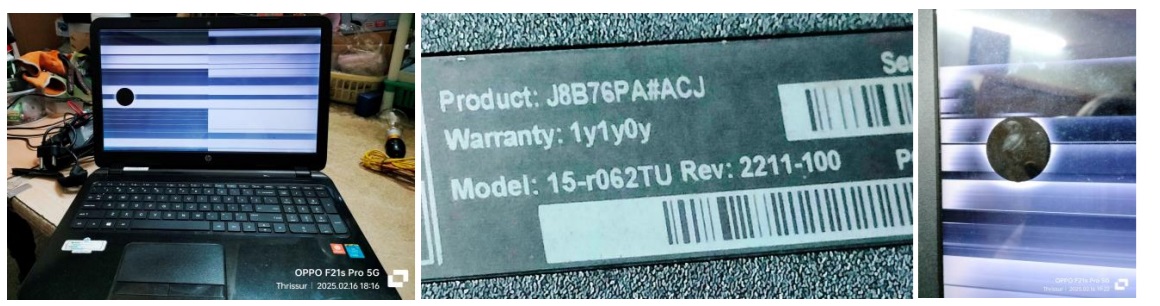
This HP Laptop was brought by one of my colleagues when she along with her husband visited my home the other day as a part of their courtesy visit to meet my wife. The complaint was that there were lines on the panel and nothing could be seen properly. The round patch on the panel was there for quite some time as something had hit it.
I took it for service after my table got free. I removed the battery from the laptop as the first step. In order to ascertain what caused the problem, I pried open the bezel after taking guidance from my techie friends, as this was the first time that I handled such a case. There were no screws and it came off quickly. Then removed the four screws of the panel located at four top and bottom corners.
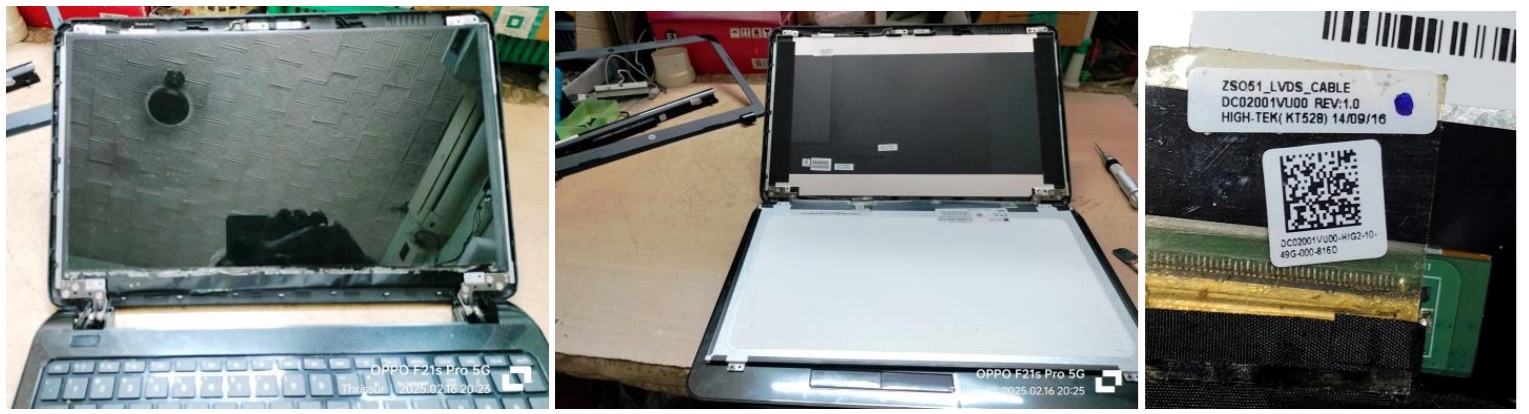
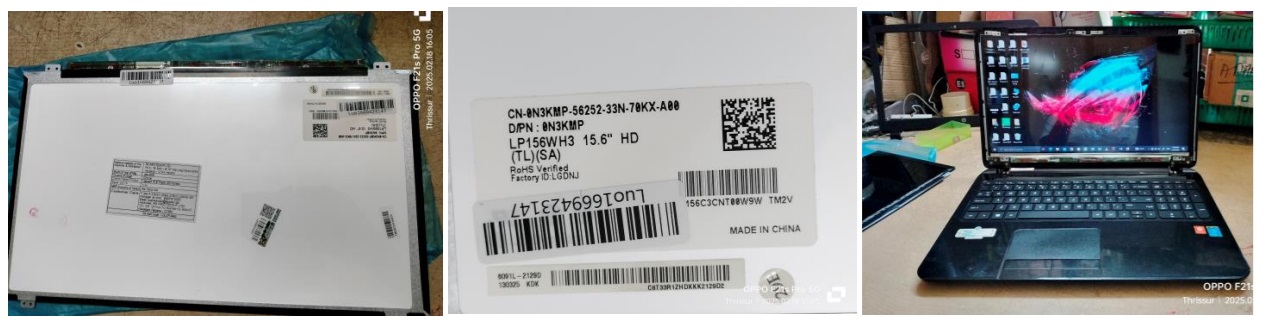
Then carefully peeled off the tape holding the LVDS cable (third picture above) and removed it. Cleaned it thoroughly and reinserted it and powered the Laptop through its adapter as dirt inside the connector could also cause such problems. The lines were still there.
Took clear snaps of the panel, its labels as well as the LVDS cable and sent it to my techie friend in a far away town and asked him to arrange for a replacement panel (of-course, after taking consent from the customer!)
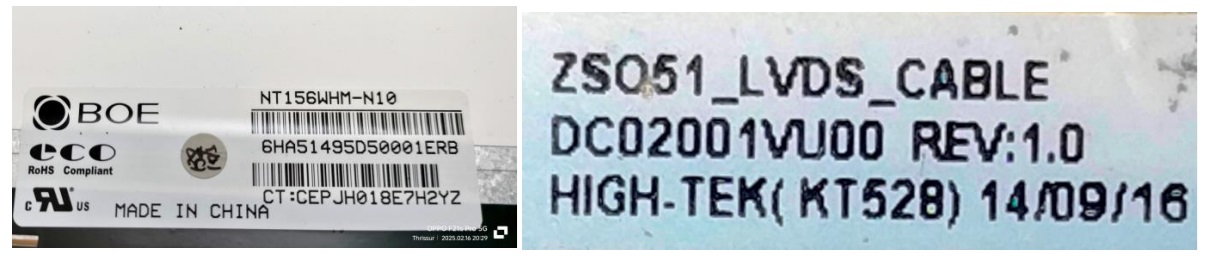
He arranged for a replacement panel for which I sent him money through Google Pay. The panel arrived the next day by noon. I took up replacement after I finished the work on another set that occupied my table. Gently but firmly reinserted the LVDS cable and fixed it with tape. Fixed the panel with the four mounting screws, reinserted the battery and switched on. Here you can have a look at the pictures of the new panel before I fixed it and its label and the result when I applied power.
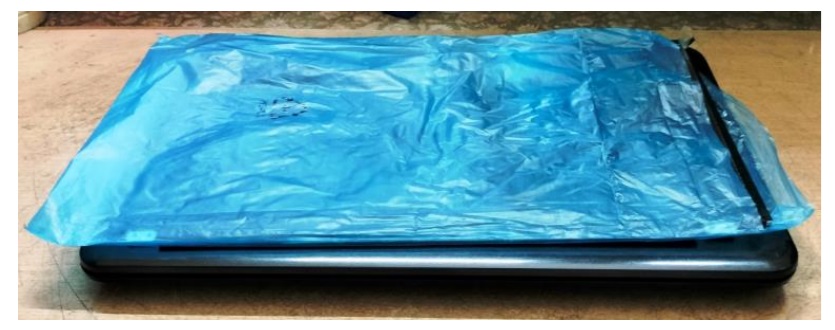
Fixed the bezel back and pressed it down firmly on all the four sides and allowed the laptop to be on for some time before informing the customer about readiness.
Mission accomplished with new experience earned and satisfaction had every reason to find its collection source!

This article was prepared for you by Parasuraman Subramanian from India. He is 74 years old and has more than 30 years’ experience in handling antique equipment like Valve Radio, Amps, Reel Tape Recorders and currently studying latest tech-classes conducted by Kerala State Electronics Technicians’ Association. He has done graduation in BBA degree, private diploma in Radio Engineering and retired as MD of a USA company. Presently working as Consultant to Hospital and other institutions.
Please give a support by clicking on the social buttons below. Your feedback on the post is welcome. Please leave it in the comments.
P.S-If you enjoyed reading this, click here to subscribe to my blog (free subscription). That way, you’ll never miss a post. You can also forward this website link to your friends and colleagues-thanks!
You may check on his previous article on The Thrill Of Restoring Another Lovely Valve (Tube) Radio – Murphy Model Tao-824
 (31)Dislikes
 (0)
(0)
6 Comments
Leave a Reply





Albert van Bemmelen
November 15, 2025 at 3:43 pm
Your repair knowledge keeps expanding from restoring very old analogue sets to the very new complex digital ones. And I guess that the finishing text after your articles mentioning your over 30 years of experience easily can be changed into over 40 by now?
Parasuraman S
November 15, 2025 at 4:47 pm
Yes, very true. Now it has crossed forty years. In fact, even the age has to be changed. I am 76 running now. You are a very keen investigating expert! Many thanks for your encouragements, dear Albert! I consider it very valuable!
Mark J
November 16, 2025 at 5:09 am
Parasuraman thank you for sharing. I really look forward to your repair articles every week. I hope I will be as good of a technician as you someday.
Parasuraman S
November 16, 2025 at 7:50 am
Many thanks for your wonderful and encouraging words, dear Mark!
Yogesh Panchal
November 17, 2025 at 6:47 pm
Good Job! Sir
Do not know exact cause of Round patches on the screen.i also faced & received many laptops for repair with same problem.
Parasuraman S
November 18, 2025 at 12:13 pm
Something hitting on the panel due to children playing or fighting and/or dropping the laptop might cause seepage of liquid crystal! Many thanks for your comments!