
Blue Screen Error In Desktop Computer
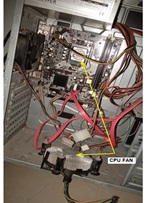
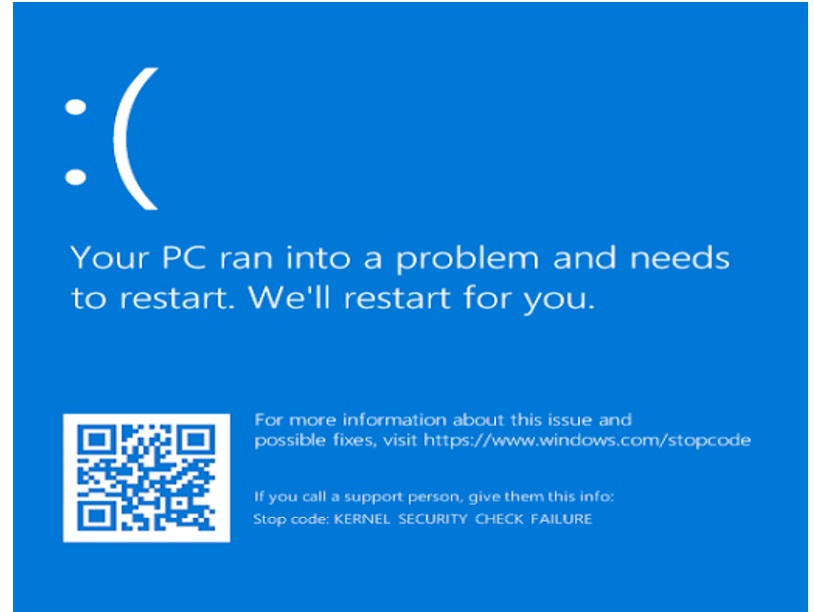
Received call from the customer stating its computer is not working. I visited his place for troubleshooting. On reaching his place I found computer is ON with some bluescreen error.
This type of bluescreen errors involved many section of computer as a culprit like Corrupted Software /Virus problem/ Hard Disk with bad sectors / SMPS/RAM/Motherboard itself as well some external modules like graphics card /soundcards etc…
Computer faults are unpredictable because it behaves out of control & flashing random errors on the screen. We will arrive at a conclusion after discussing the symptoms with the customer before the actual breakdown.
I asked customer some other question like Does this computer is stopped working suddenly while working? He replied when he turned ON the Computer some noise comes from inside the computer & it stopped working.
I restarted the Computer & got error “Boot Device not found” I assumed either HDD software corrupted or HDD itself bad. I opened the computer side cover for further inspection. I found CPU FAN hanging in side with one yellow wire broken.
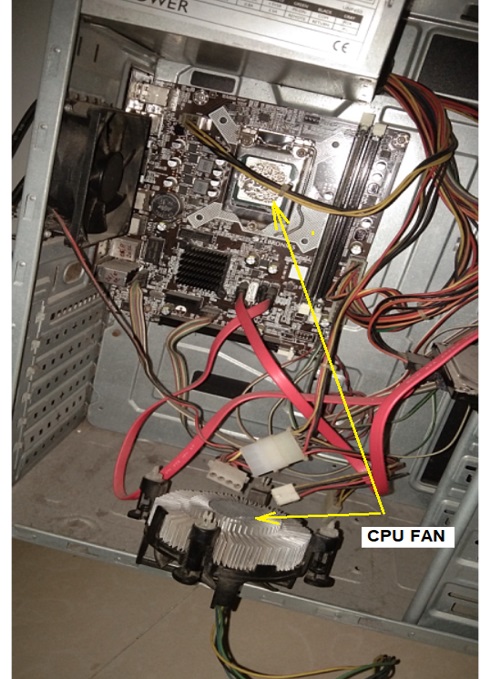
Wire is broken from the Solder side so collected the CPU for soldering the wire on its place & further inspection.
(This is the Noise which customer told about. May be loose wire comes in contact with the FAN blades & it broke.)
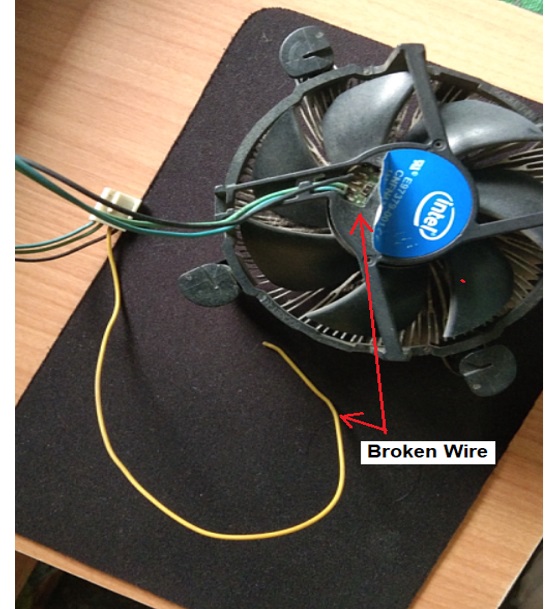
This yellow wire is for FAN power +12v supply.
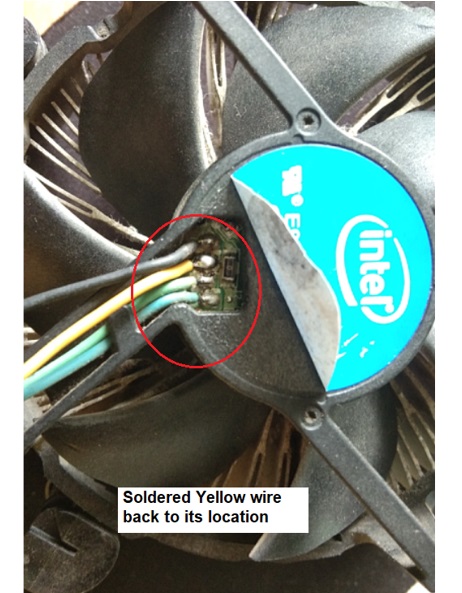
After soldering work, fitted CPU FAN on its place on the motherboard & reassembled the computer.
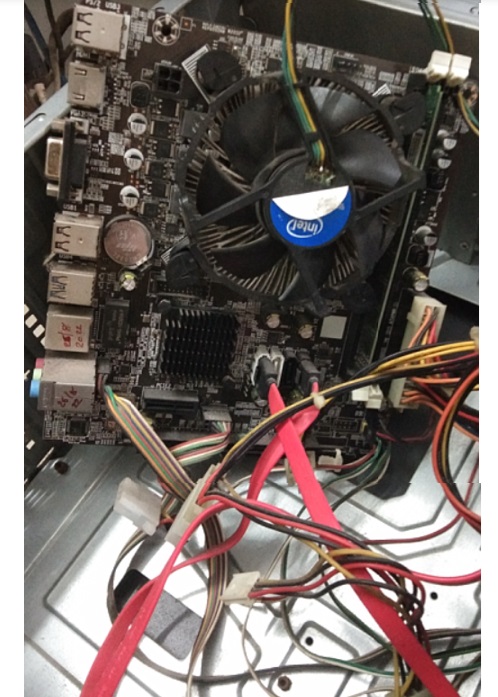
Powered the Computer & I got instantly windows 10 login screen without any errors.
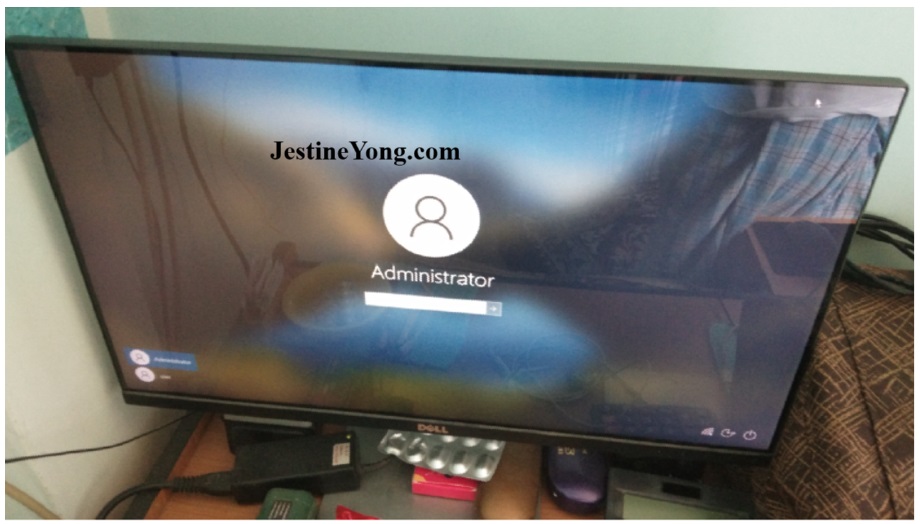
Kept computer on burn-in test for 3 hours & frequent On/Off by shutdown process it works smoothly without any errors and computer is ready for delivery.

This article was prepared for you by Yogesh Panchal who works as a Computer Hardware Engineer in Mumbai India.
P.S- Do you know of any your friends who would benefit from this content that you are reading now? If so, forward this website to your friends or you can invite your friends to subscribe to my newsletter for free in this Link.
Note: You can check his previous repair articles on Karaoke Bluetooth Microphone Repaired
 (47)Dislikes
 (0)
(0)
15 Comments
Leave a Reply





Waleed Rishmawi
June 22, 2025 at 6:17 pm
Overheating issues I guess but for some reason I thought yellow wire is for temperature sensor thing because I have replaced fans in desktops, welding machines and severs etc and yellow wire was temperature sensor. I guess different countries have different wire orientation.. have a blessed day
Yogesh Panchal
June 23, 2025 at 12:40 am
Waleed,
Yes,it is advisable not to depend on any wire color orientation in electrical & electronics.
for this Fan, Black (GND), Yellow (+12V), Green (Tachometer/RPM feedback), and Blue (PWM control).
Parasuraman S
June 22, 2025 at 6:45 pm
Excellent! Your professionalism helped solve the problem easily, though such cases are hard to troubleshoot! Like a Police Inspector investigating a case, we too need to question the user to catch the real culprit! Many thanks for sharing!
Yogesh Panchal
June 23, 2025 at 12:43 am
Thank you! sir
Error on the screen under software, we can never predict the exact location of the fault.
Albert van Bemmelen
June 22, 2025 at 8:18 pm
We may price ourself lucky when this annoying BSOD blue-screen-of-death is easily solvable without remaining consequences. Lucky you were in time to fix and prevent here that other parts like the cpu got overheated beyond repair.
Yogesh Panchal
June 23, 2025 at 12:47 am
you are right! Albert,
luckily sometime we get hint of physical damage on visual inspection.
Anwar Yunas Shiekh
June 22, 2025 at 8:44 pm
"I found CPU FAN hanging in side ..."
The fan was hanging loose?
Yogesh Panchal
June 23, 2025 at 12:51 am
Yes Anwar, it was hanging on one stud.
Sometimes customers don't tell us the truth, it is possible that the customer has tried it himself & damage it in some process.
Imoudu
June 24, 2025 at 4:56 am
You were lucky that it's just loose fan wire was the cause of the problem and make repair to be easy and fast.
Yogesh Panchal
June 24, 2025 at 11:21 pm
Imoudu,
Some technicians make mistakes due to insufficient knowledge of the troubleshooting process… like they just format the HDD or reinstall the software, because they don’t discuss the symptoms properly with the customer.If I had not discussed the symptoms with the customer I would have done the same mistake & would have make it time consuming process.
Mark J
June 23, 2025 at 12:00 am
Yogesh well done on the repair. Thanks for sharing.
Yogesh Panchal
June 23, 2025 at 2:41 pm
Thanks! Mark j
Humberto
June 23, 2025 at 12:59 pm
Hi Yogesh, I really hate Blue Screens of Death. I suposse the owner of the PC was not sincere with you at all. Anyway you could fix the PC on time
Yogesh Panchal
June 24, 2025 at 2:48 pm
Humberto,
We have to deal with many such people who become irresponsible and give up even when they are at fault.They don't care about efforts of technician & do not understand we are doing the work for their equipment's betterment.
Jim
July 16, 2025 at 8:39 am
Thats great you were able to salvage the fan motor and reinstall without any CPU damage!