
Laptop Repaired for Blue Screen Error
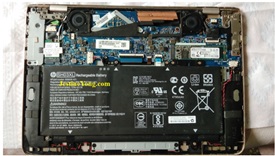
Received HP Envy 13 Laptop which gives Bluescreen error on booting, few months back repaired same laptop for broken screen hinge problem. It was fixed successfully.

BOSD errors are unpredictable and related to many areas on Motherboard like corrupted BIOS, CPU Section Graphic Chip section, Sound section, Lan section, Bluetooth section, Wi-Fi Section, Hard Disk, RAM, Power supply, software etc…sometime error indicates specific area but here it shows “UNCORRECTABLE ERROR”.
Here my first suspect is RAM just clean the contacts & see.
So opened the laptop for further inspection. after opening the laptop, I disappointed because The HP Envy 13 generally does not offer user-upgradeable RAM. RAM is Soldered On Board. Now what? I removed Battery connection and then removed NVMe HDD & cleaned its contacts on my next suspect.


After cleaning the SSD contact I connected it back & powered the laptop but still same problem.
While handling this process I found laptop body from top side above the keyboard area is overheating.

I found exact back side one metal part is over-heating.

This seems to be CPU Heatsink,
Because CPU is not seen on top side of the motherboard.so for further testing I need to remove whole motherboard (be very careful while removing motherboard). Removed the Motherboard and I found the CPU back side with heatsink.

Found CPU surrounded by some dust& webs, so cleaned it from the outside & removed heatsink metal by removing three screws. I found excessive applied thermal paste & probably degraded.

So cleaned the CPU thermal paste using IPA & cleaned both the CPU as well the Heatsink.

Applied new thermal paste.

Fixed heatsink back to the CPU … Reassembled the laptop to see the result.

Now the laptop turned on and came to the login screen.
I kept the laptop on burn-in test for 4 to 5 hours, kept switching it on and off in between.

Now it is working fine without overheating as earlier.

This article was prepared for you by Yogesh Panchal who works as a Computer Hardware Engineer in Mumbai India.
P.S- Do you know of any your friends who would benefit from this content that you are reading now? If so, forward this website to your friends or you can invite your friends to subscribe to my newsletter for free in this Link.
Note: You can check his previous repair articles on ASUS Vivobook No Display & Screen Hinge Broken Problem
 (44)Dislikes
 (0)
(0)
17 Comments
Leave a Reply





Parasuraman S
August 9, 2025 at 4:49 pm
Only professionals like you can handle such jobs and I feel jittery to even open a laptop, though I have done a few times! Many thanks for sharing!
Yogesh Panchal
August 10, 2025 at 11:15 pm
Sir,
Rather,I would say that practice plays an important role in professionalism, because the fear of causing loss or unsuccessful does not motivate us to do so.This courage comes after suffering a lot of losses.
Waleed Rishmawi
August 9, 2025 at 5:40 pm
Good job on the repair. Yes dust and dry thermal paste can do such issue but glad it worked out. Have a blessed day
Yogesh Panchal
August 10, 2025 at 11:23 pm
Waleed,
unfortunately my weakness is my source of income,I am very allergic to dust. Repairing dusty equipment is very painful for me.
Mark
August 9, 2025 at 7:38 pm
Well done Yogesh,
Sometimes the simple things are the answer to what seems a complex issue.
Yogesh Panchal
August 10, 2025 at 11:27 pm
Mark,
Yes, sometimes the equipment seems complicated but your experience and courage helps you to do it.
Albert van Bemmelen
August 9, 2025 at 8:59 pm
A nasty cleaning and repasting job done professionally! If in future cases it is a software or recovery computer problem there is a new 3.1GB Hirens boot DVD available here: https://www.hirensbootcd.org/download
Mark J
August 10, 2025 at 1:56 am
Hirens boot cd is a good diagnostic software. I have used it many times in the past.
Yogesh Panchal
August 10, 2025 at 11:39 pm
Mark,
Indeed good option,if customer ready to pay for your efforts
Yogesh Panchal
August 10, 2025 at 11:37 pm
Albert,
Cleaning is a tough job for me as I am very allergic to dust.
Hiren's Boot CD is a good option where the customer is willing to pay us for the time spent in saving his data.
Mark J
August 10, 2025 at 1:52 am
Yogesh I would have suspected the ram at first my self. Well done on the repair.
Yogesh Panchal
August 10, 2025 at 11:40 pm
Mark J,
computer faults & error are unpredictable.
Mark J
August 14, 2025 at 7:45 am
Yes that is very true.
ANIL KUMAR V K
August 11, 2025 at 12:30 am
Thank you Sir for sharing
Yogesh Panchal
August 12, 2025 at 4:43 pm
Your welcome! Anil Kumar V K
Tito Kanshulu
August 14, 2025 at 2:13 pm
Excellent work Yogesh
Yogesh Panchal
August 17, 2025 at 6:48 pm
Thank you!Tito Kanshulu