
Lenovo Laptop Repaired With White Display
Received laptop for repair, stating problem only backlight is visible on the screen no picture/Image.
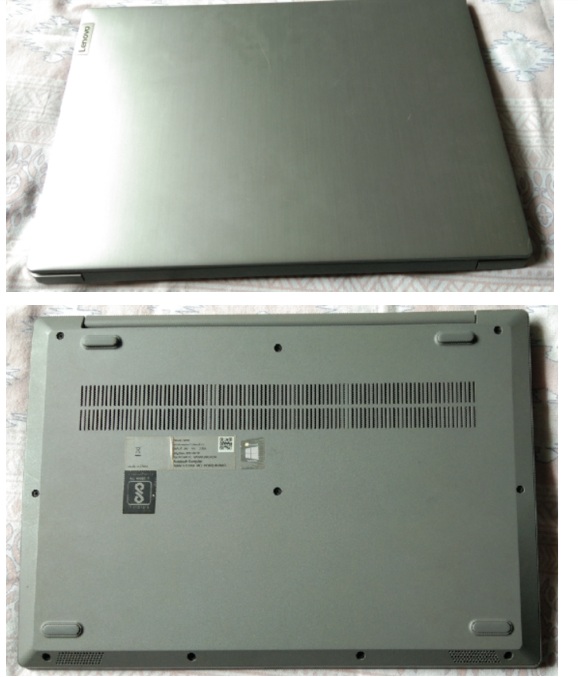
Upon receiving the unit for inspection, the first step was to check for any external damage, scratches, or missing screws, so as to avoid any accusations or disputes later on.
Photos were shared with the customer, and their consent was obtained acknowledging that the symptoms of the malfunction might change—or the unit could even become completely inoperable (dead)—during troubleshooting or repair attempts.
I am simply sharing my personal experience and the way I handle situations before the relationship with a client deteriorates. Many of my technical colleagues have had bad experiences in this regard…
Because Laptop repair is totally un predictable because of complicated design & SOC Technology.
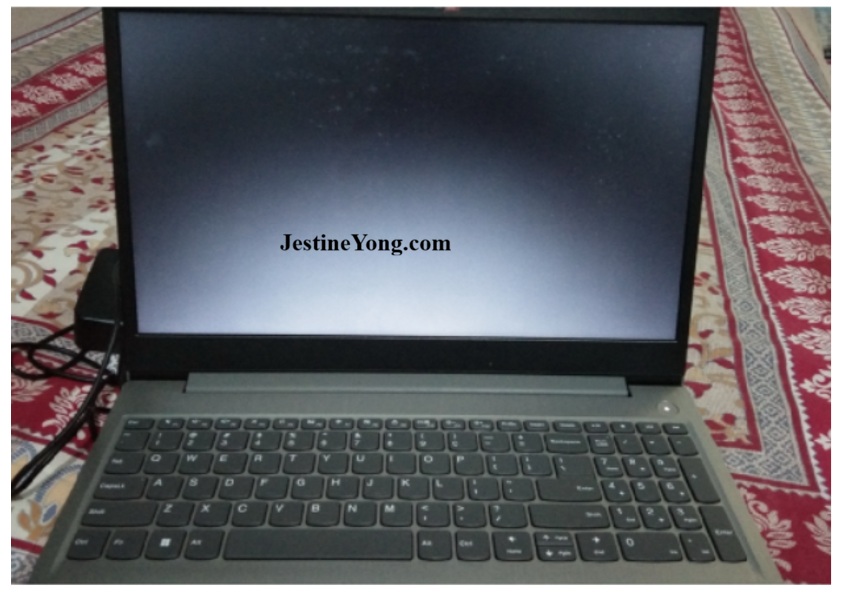
After receiving the consent from the customer I started inspection. on pressing the power button, I seen light indication on power button & also there is a light on the screen it is not completely bright but when you see from the angle you visualize it clearly.
Waited for some time but no any change on the screen no prior booting text or any image is visible. For reset I keep pressed power button for 60 second & released still no change. There is no any blinking led indication errors. Now time to see laptop from the inside.
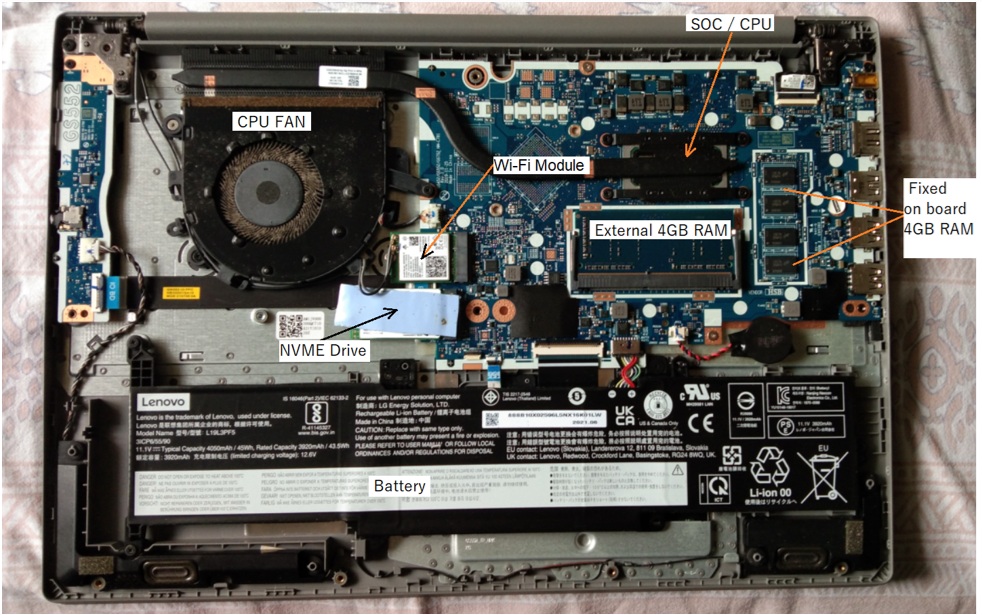
The CPU fan was found to be clogged with dust; I cleaned it carefully and turned on the laptop, but the problem persisted. I then removed the external RAM module to check for issues with either the on-board or external RAM, yet the problem remained unchanged. I cleaned the gold contacts of the external RAM and reinstalled it, but the issue still persists.
Suspected some shorting on the mother board, to identify and remove the faulty component, I need to disconnect the connected parts one by one and turn on the laptop each time to observe the effect on the symptoms of the malfunction.
First, I removed the Wi-Fi card and turned on the laptop, but the problem persisted. Then, I removed the NVMe storage module drive and turned on the laptop; this time, the backlight did not light up. I waited for a while, and suddenly, a message appeared on the screen stating, “Bootable Device is missing.”
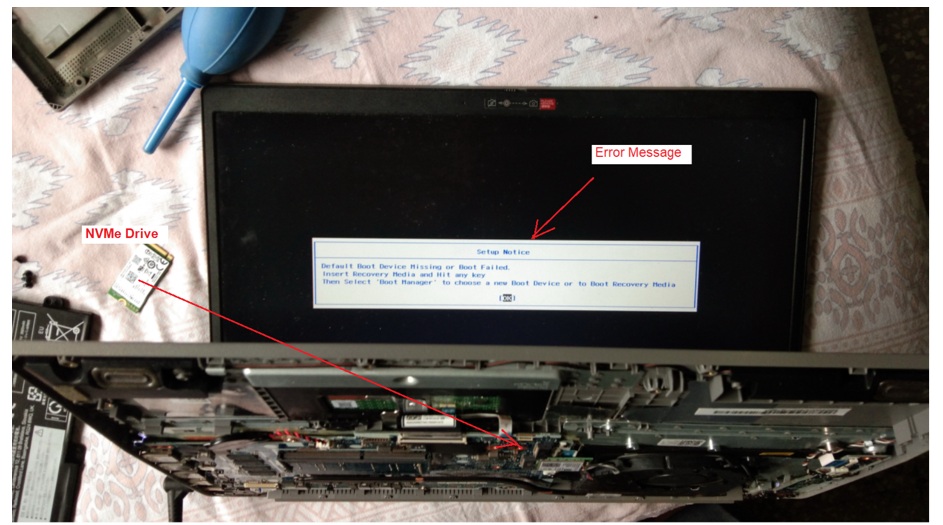
To investigate the suspected issue, I turned the laptop on and off several times and identified the cause of the problem.
The display issue is resolved, but what about the NVMe drive? If the NVMe drive has shorted out, I can’t test it in another device; and if the drive shorted due to a short circuit in the laptop itself, then inserting my own test drive would cause that one to short out as well… It’s a tricky situation—I can’t use my test drive here; if it gets ruined, the customer won’t pay for it. I can’t take that kind of risk. I spoke to the customer; since he was from a technical background and understood the situation, he agreed to buy a new drive.
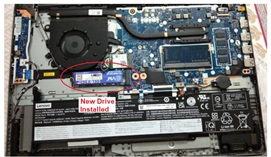
After confirmation from the customer I ordered new NVMe Drive on arrival I connected the drive for the testing.
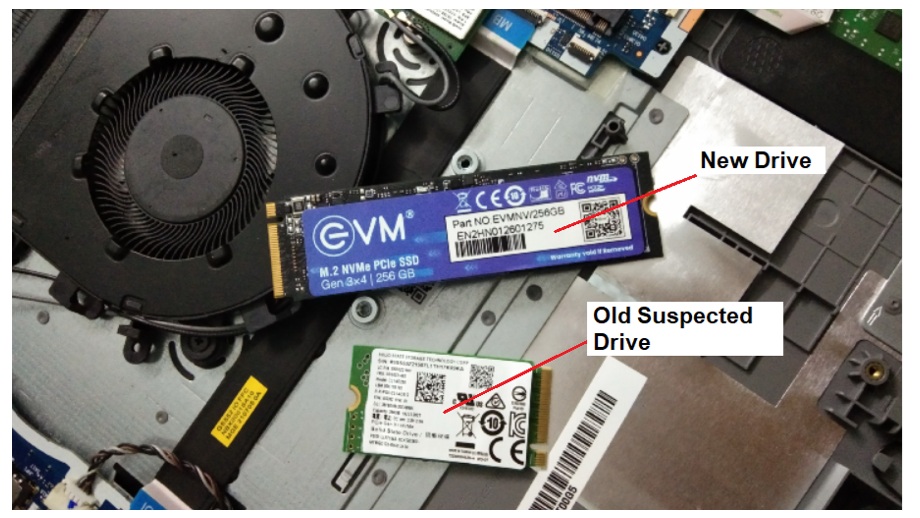
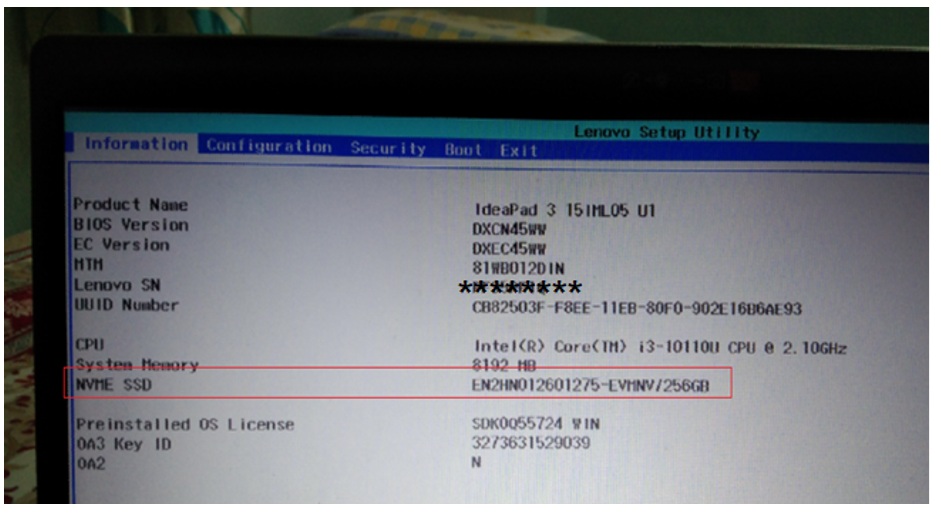
To check whether the new drive was being detected by the BIOS, I turned on the laptop and entered the BIOS, where I saw that the new drive had indeed been detected. I kept the laptop running for a while to see if the drive was overheating; it wasn’t getting hot, so I proceeded to test the drive and turned on the laptop.
Now, I have removed the new drive and installed my test drive, holding it in place with my finger to test it. I observed the laptop booting up and the OS loading.
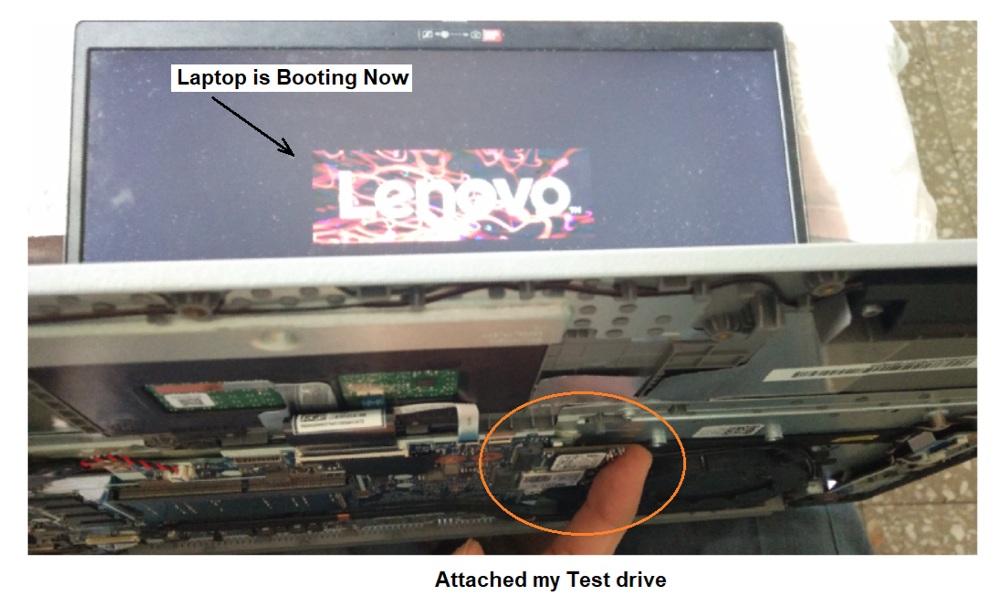
After proper booting the OS, I checked for proper working & it is working Fine.
Turned Off the laptop & removed my test Drive by installing the new drive, I installed the OS in New drive & found it is working well.
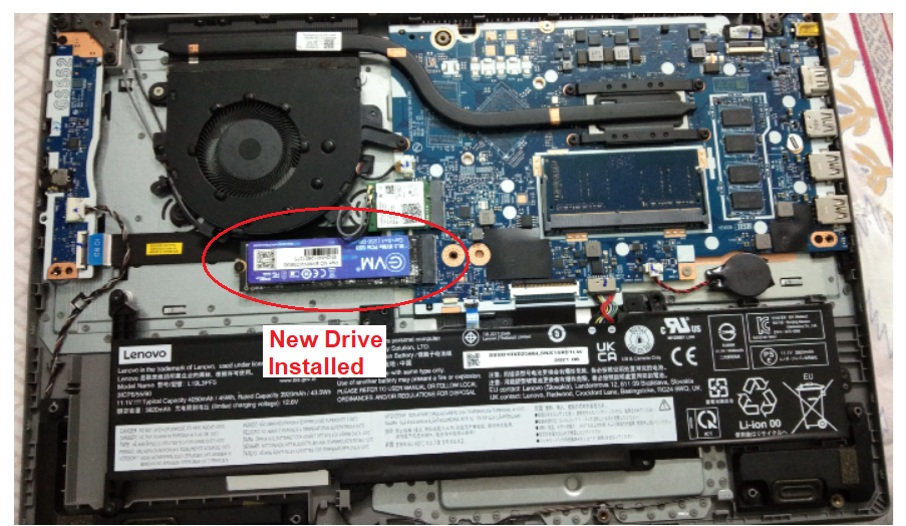
I reassembled the laptop and tested it myself throughout the day; satisfied with the work, I asked the customer to pick it up.
Note: Laptop repair work can truly be a headache and a complicated affair; in the pursuit of profit, you might often end up spending money out of your own pocket if you haven’t secured prior approval—much like doctors do for medical procedures. It might feel awkward at times, but you should remain professional, at least when it comes to laptop repairs.

This article was prepared for you by Yogesh Panchal who works as a Computer Hardware Engineer in Mumbai India.
P.S- Do you know of any your friends who would benefit from this content that you are reading now? If so, forward this website to your friends or you can invite your friends to subscribe to my newsletter for free in this Link.
Note: You can check his previous repair articles on Mobile Charger Repaired
 (39)Dislikes
 (0)
(0)
13 Comments
Leave a Reply





Parasuraman S
September 26, 2026 at 4:39 pm
Marvelous job, dear Yogesh Bai! But this is something I would not venture to put my hands in! Many thanks for sharing!
Yogesh Panchal
September 26, 2026 at 11:11 pm
Thank you! Sir,
You are absolutely right. Modern laptops are designed like complex puzzles; the work involves tasks like running software and programming chips. There is no need for you to take on that headache or look elsewhere. You have already achieved great mastery in your own field. However, you should certainly acquire knowledge about this during your free time, as future technology will rely heavily on it.
Albert van Bemmelen
September 26, 2026 at 7:26 pm
Safe and sound advice indeed Yogesh. Well done restoring a no longer booting laptop!
Recently I added another tester to my computer test equipment for testing those older dram memory chips that were mostly used in Commodore C64, Amiga and other computers like the Sinclair ZX-Spectrum. This DIY tester is able to test practically all older dram ic's at their actual speed which is something most testers are unable to do. It is completely open source and works on a superfast Pico2 module that only costs about 5 euro. I got the version 3 gerber files from PCBway and let the boards manufacture by JLCpcb who are extremely fast and very trusted. See for more here: https://hobbytronics.home.blog/2025/08/02/pico-2-dram-tester/
Yogesh Panchal
September 26, 2026 at 11:36 pm
Thank You! Albert
In the era of the IBM PC/XT, DIP-packaged DRAM ICs were used to upgrade RAM from 64 KB to 256 KB, but defective DRAM was never encountered in 286/386 PCs.good to have this tester to trouble shoot antique.
Kevin Davison
September 26, 2026 at 8:23 pm
Excellent work. These come across my bench from time to time as well. It's always good to compare notes and learn another's diagnostic processes to improve my own.
Yogesh Panchal
September 26, 2026 at 11:42 pm
Thank You!Kevin Davison,
Troubleshooting a computer is always a learning process, and often the fault is found in a place you would never have imagined.Keeping Notes is good practice.
Mark J
September 27, 2026 at 3:08 am
your right Laptop repair work can truly be a headache sometimes. Well done and professional job Yogesh.
Yogesh Panchal
September 27, 2026 at 8:06 pm
Thank you! Mark J
Angel Delis
September 27, 2026 at 11:06 pm
good work but i would like to know why you did not try to clean the golden contacts of the drive before buying a new one.
Yogesh Panchal
September 28, 2026 at 5:11 pm
Angel Delis,
Whenever we purchase a new replacement part, the old part is thoroughly inspected for any physical damage; however, identifying the specific symptoms of the fault depends on your experience.
In this instance, the gold contacts were not cleaned because the primary symptom of the fault is a "no display" issue (nothing appearing on the screen). The display becomes visible when the drive is removed, indicating that a short circuit occurs when the drive is connected. Therefore, you have two options: either test it with a drive known to be working correctly (though this risks damaging that drive and losing your data, resulting in financial loss), or use a new drive (if it has no physical damage, you can get a replacement under warranty).
Tito Kanshulu
September 30, 2026 at 6:36 pm
Excellent repair Yogesh. I like the spirit in you. You didn't just give up but braved the task.
Yogesh Panchal
October 1, 2026 at 2:46 pm
Thank You! Tito Kanshulu,
Everyone should maintain their Spirit; If we give up, we don't learn anything.without Spirit, no activity can take place.
Zou
October 11, 2026 at 7:36 pm
Very careful handling of the situation, congratulations!